Contents
- Index
Inserting hyperlinks
A hyperlink can be attached to any node. A hyperlink is represented by a chain-like icon, as shown here:
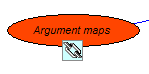
A hyperlink contains the address of one or more target location. A target location is either a web page or a computer file. When the hyperlink is clicked with the arrow tool, the target locations are shown in a popup menu and the user can choose to visit them.
To attach a hyperlink to a node, just follow these steps:
Select the arrow tool by clicking on its icon.
Click on the node. 'Selection handles' will now appear on the node.
From the Styles menu, choose 'Hyperlinks' to get the hyperlink dialog. You could also reach this dialog by right-clicking on the node and selecting 'Hyperlinks' from the popup menu.
Click 'New URL' for a web hyperlink and type (or better, paste in) the required web address. Alternatively, click 'New file...' for a file selected from your hard disk.
Click Ok.
Back to start of help